USB pen drives vs DNC software for CNC shops
Pen drives feel free. They're not — you pay in scrap parts, walking time, and one very bad afternoon when the wrong program meets the right machine.
The real cost of the pen-drive workflow
- Wrong-version mistakes.Six copies of O0420 on three pen drives — which one has yesterday's offset fix? One wrong pick scraps a part, or a fixture, or worse.
- Walking time.Every edit is a round trip: desk → machine → desk. On a 10-machine floor with a few program changes per machine per shift, that's an hour-plus of walking a day, every day.
- Hardware wear. USB slots on control panels and cheap pen drives both fail — always mid-job, never conveniently.
- No memory-overflow answer.A pen drive can't drip-feed. If the program is bigger than control memory, you're splitting files by hand.
- Zero traceability. Nobody knows which program version ran that batch last Tuesday.
What changes with DNC software
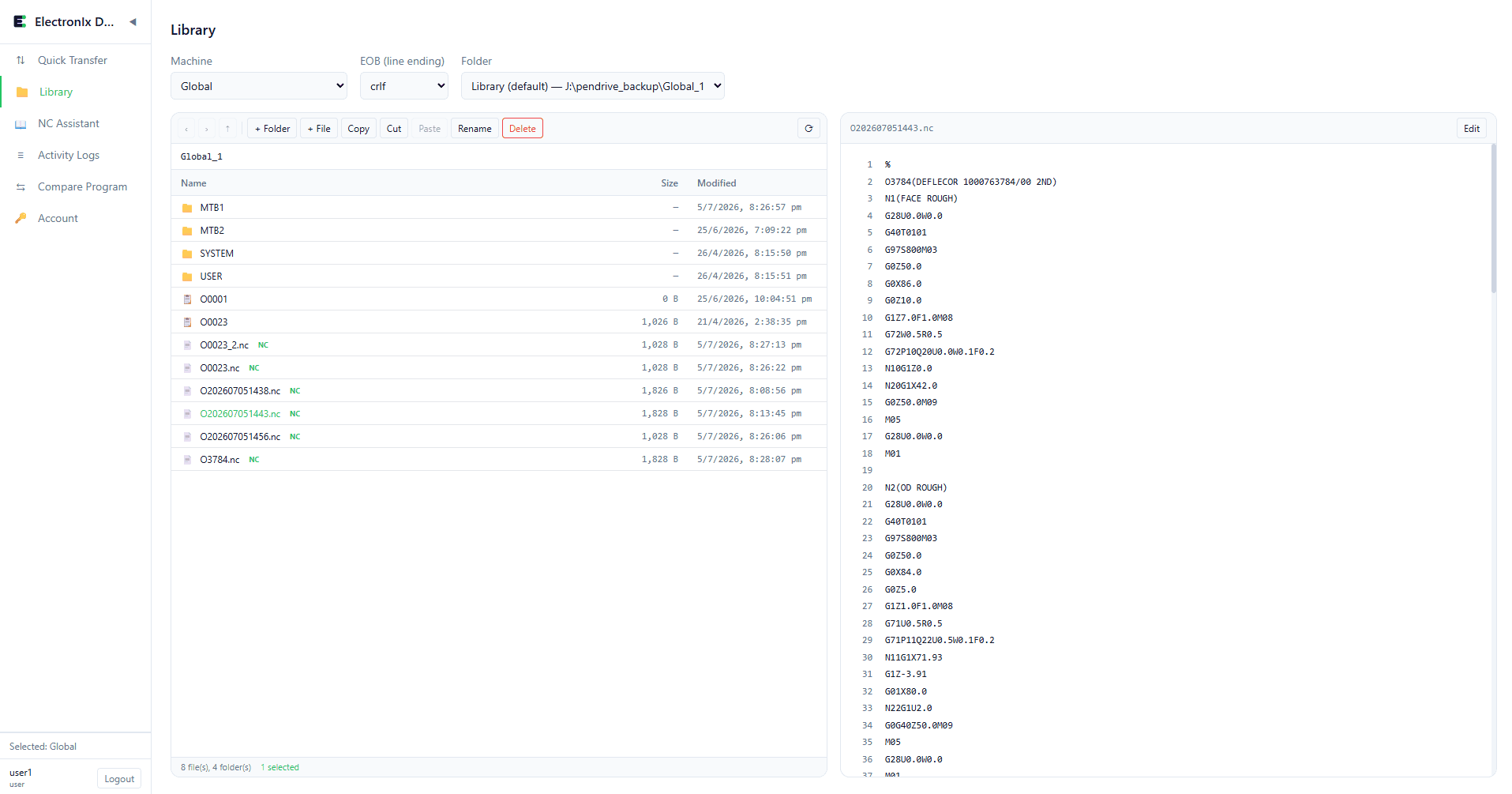
Programs live in one library on one PC. Sending a program is a click aimed at a specific machine, not a walk with a pocketful of drives. Oversized programs drip-feed instead of being butchered into fragments. Every transfer is logged. The programmer stays at the desk; the operator presses cycle start.
When pen drives are still fine
Honest answer: a 1–2 machine shop with stable, small programs and one person doing everything won't suffer much. The pain scales with machine count, program churn, and program size. Past 4–5 machines — or the first time a wrong version scraps a part — the economics flip fast.
What it takes to switch
Less than most shops expect: a serial-to-Ethernet converter on each legacy Fanuc (newer controls plug straight in), static IPs, and DNC server software on an ordinary Windows PC. ElectronIx DNC installs in one click, runs headless, and handles ~25 machines from one dashboard. Most floors go live in a day.
New to the term? What DNC means in CNC explains it from scratch, including where drip-feed fits.